
01
Jobs and equipment
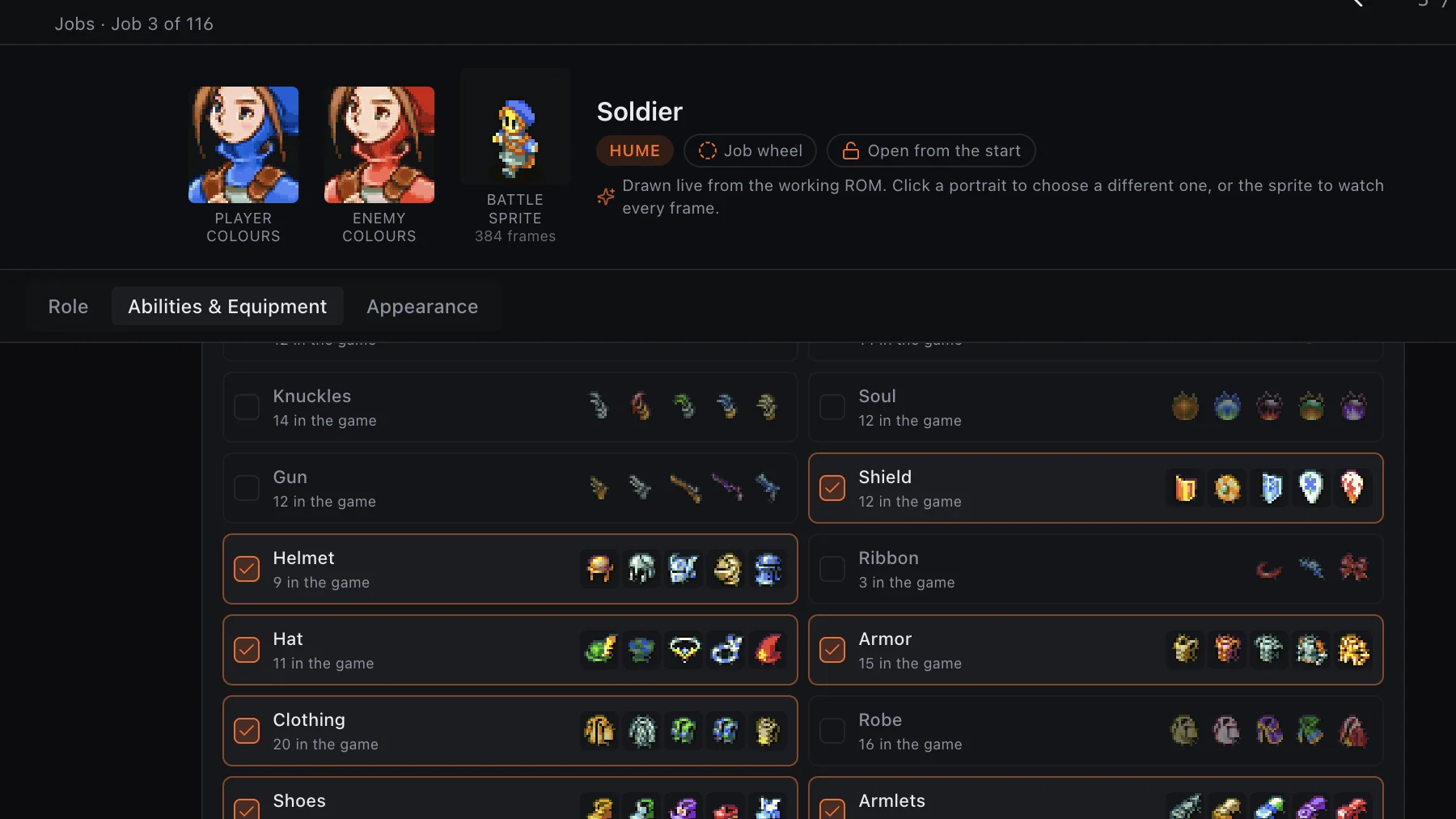
Inspect portraits, battle sprites, progression roles, ability access, and equipment permissions together. Familiar game assets sit beside the exact record being changed.
FFTA Studio turns a user-supplied Final Fantasy Tactics Advance ROM into a connected, inspectable project. Work with jobs, abilities, items, laws, formations, missions, maps, sprites, effects, and story data from one desktop application.
 Connected job data
These screens show a working development build. Interface details and supported writes may change before release.
An ability is not an isolated number. It belongs to job lists, costs AP, is taught by equipment, and appears throughout enemy formations. Studio keeps those relationships beside the field you are editing, so a balance change is made with context instead of guesswork.
Inspect portraits, battle sprites, progression roles, ability access, and equipment permissions together. Familiar game assets sit beside the exact record being changed.
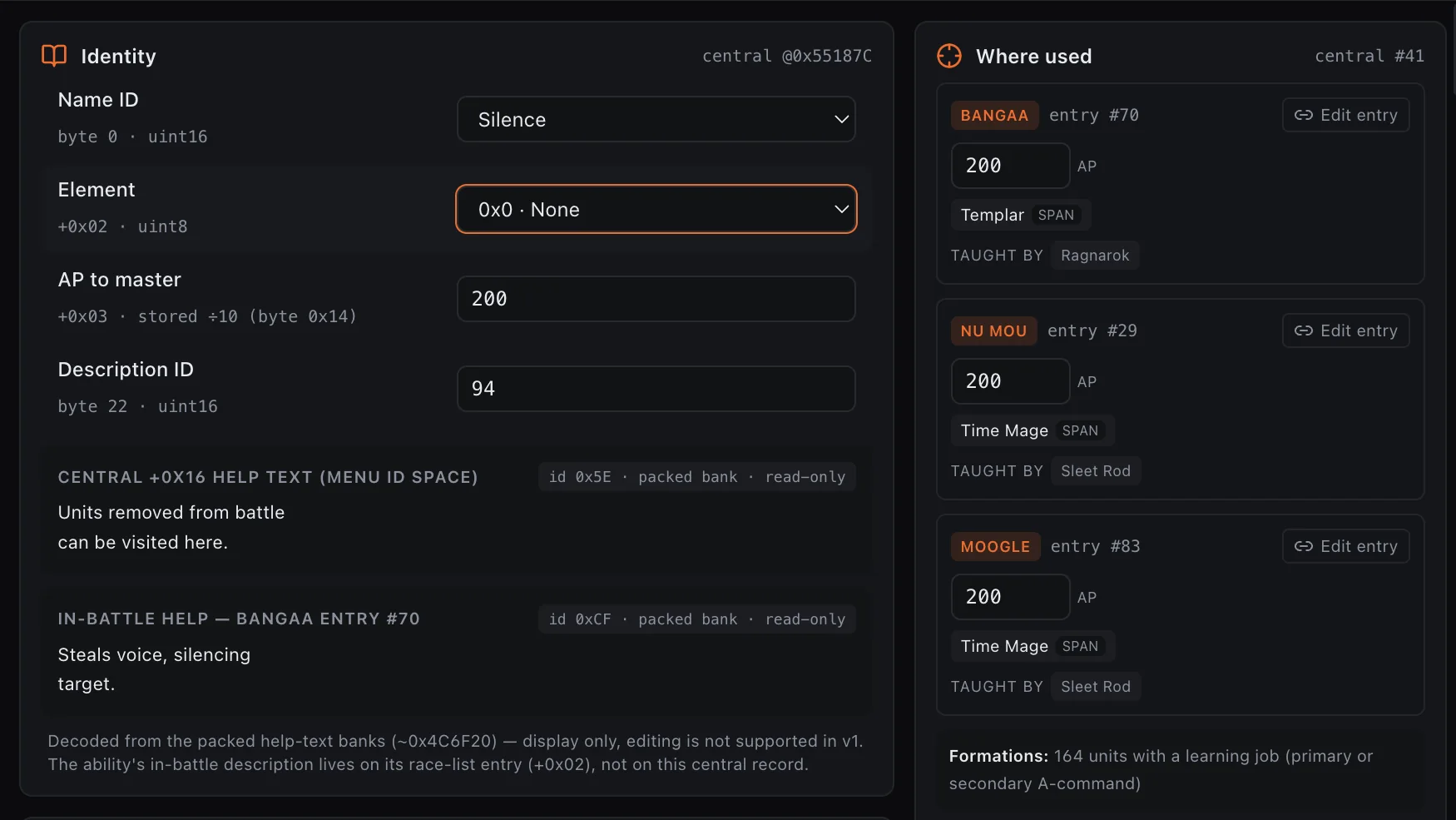
Edit central ability fields and follow where an action belongs, what teaches it, and which records depend on it. Packed text that is not yet safe to rewrite stays clearly marked as display-only.
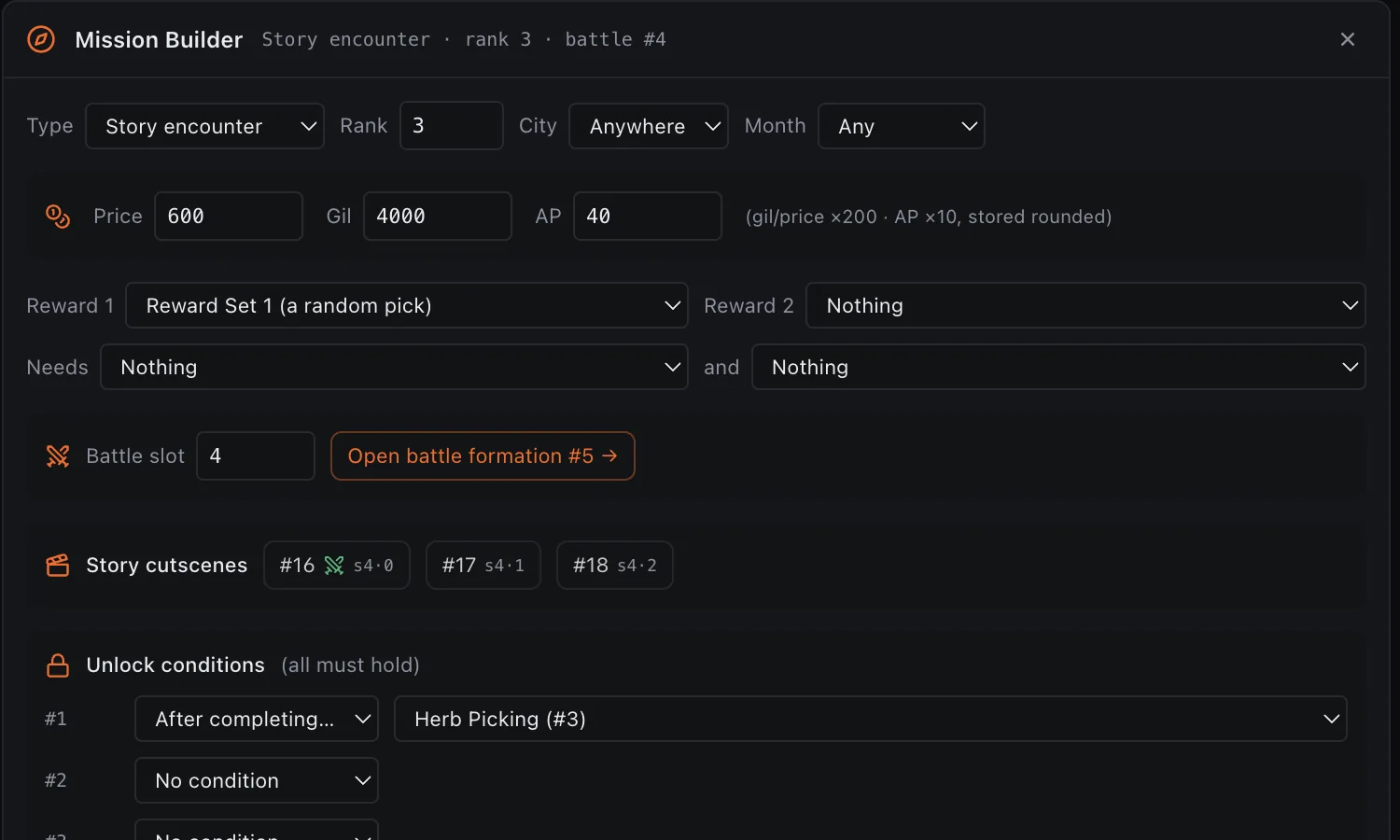
Work with mission rank, rewards, AP, availability, unlock conditions, cutscene references, and linked battle formations without chasing record numbers through separate tools.
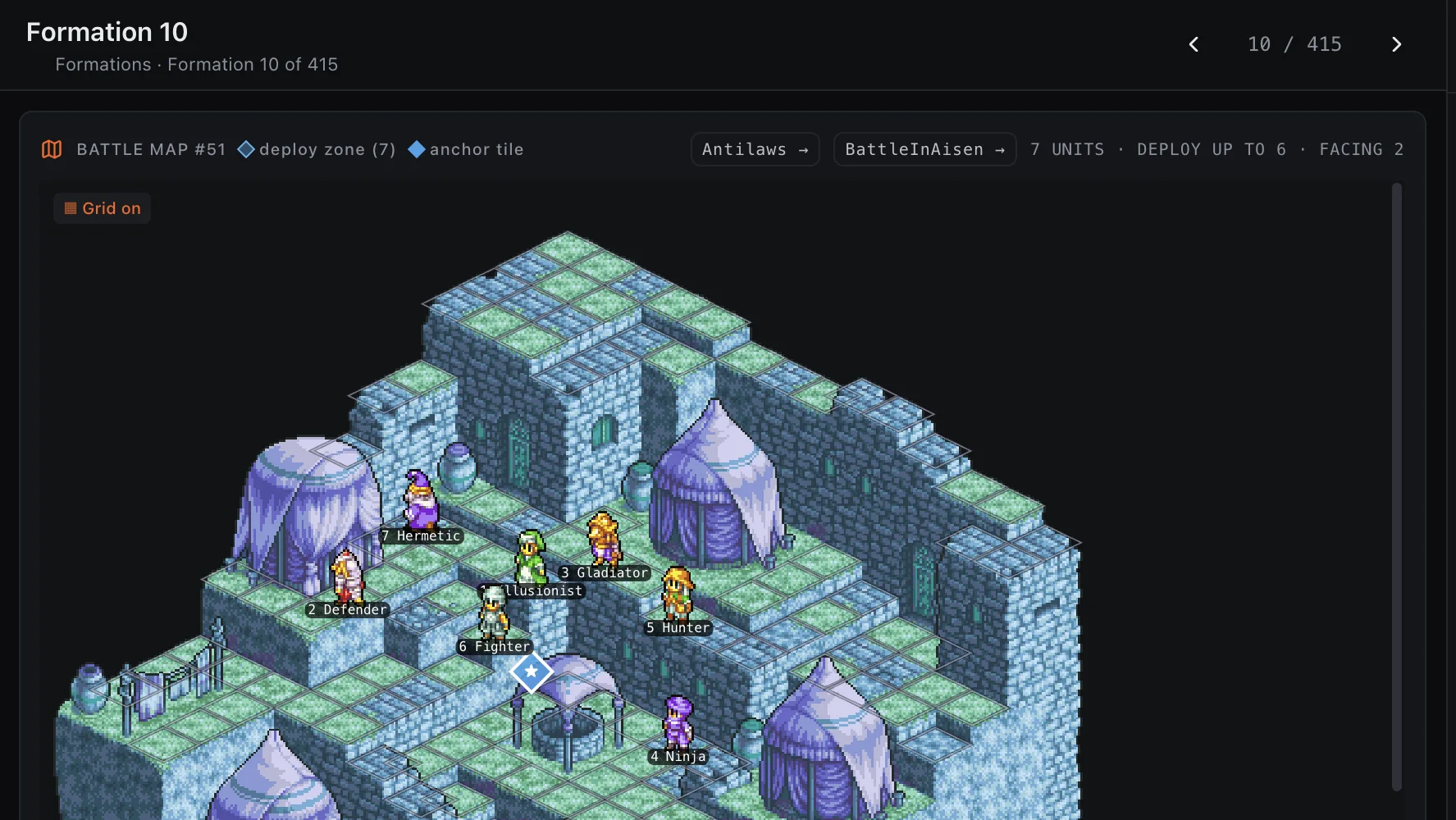
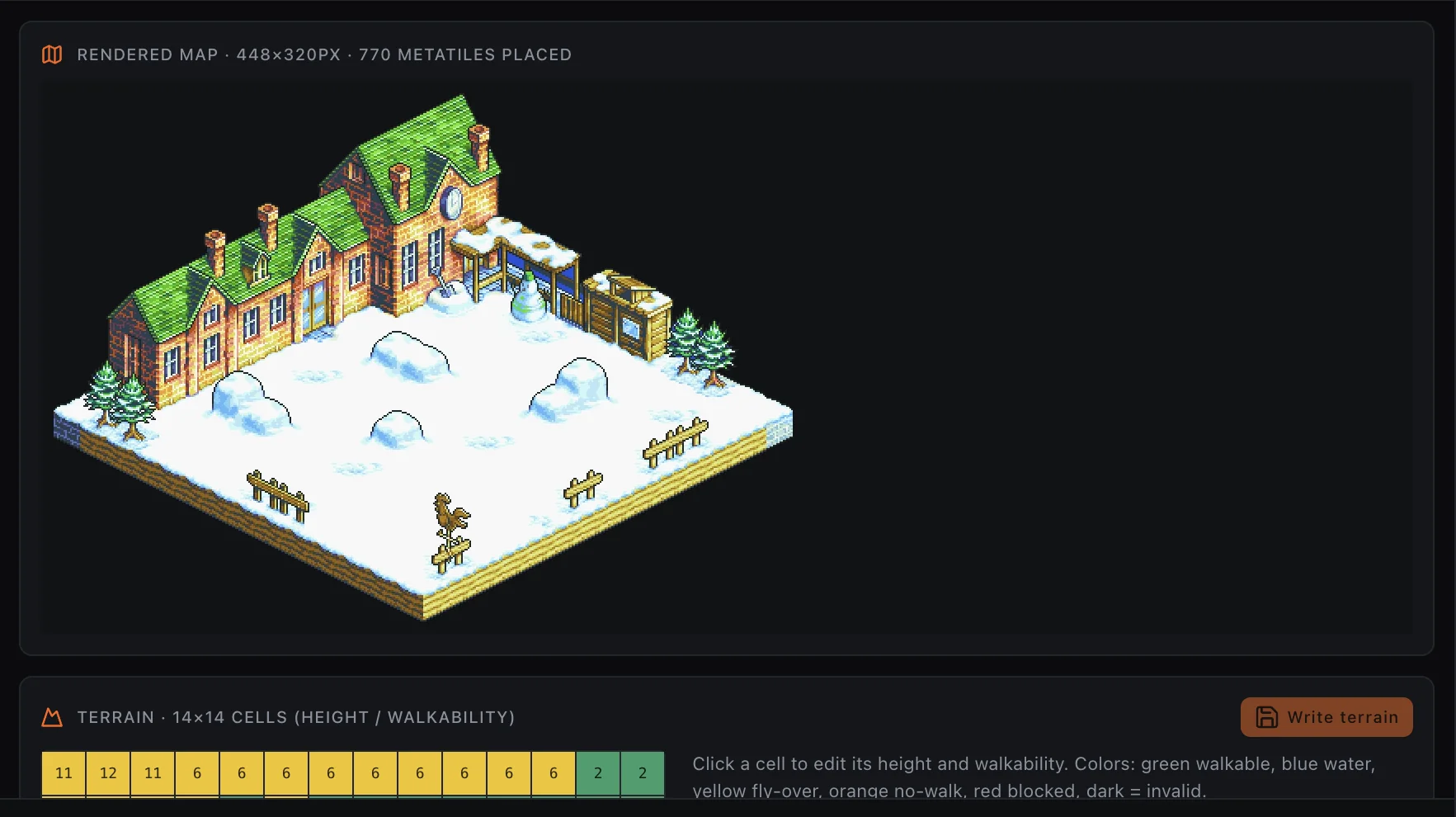
Render the original isometric maps, inspect terrain height and walkability, and place a formation in context. Deployment zones, anchor tiles, facing, jobs, and unit positions become a field you can read—not a table you have to imagine.
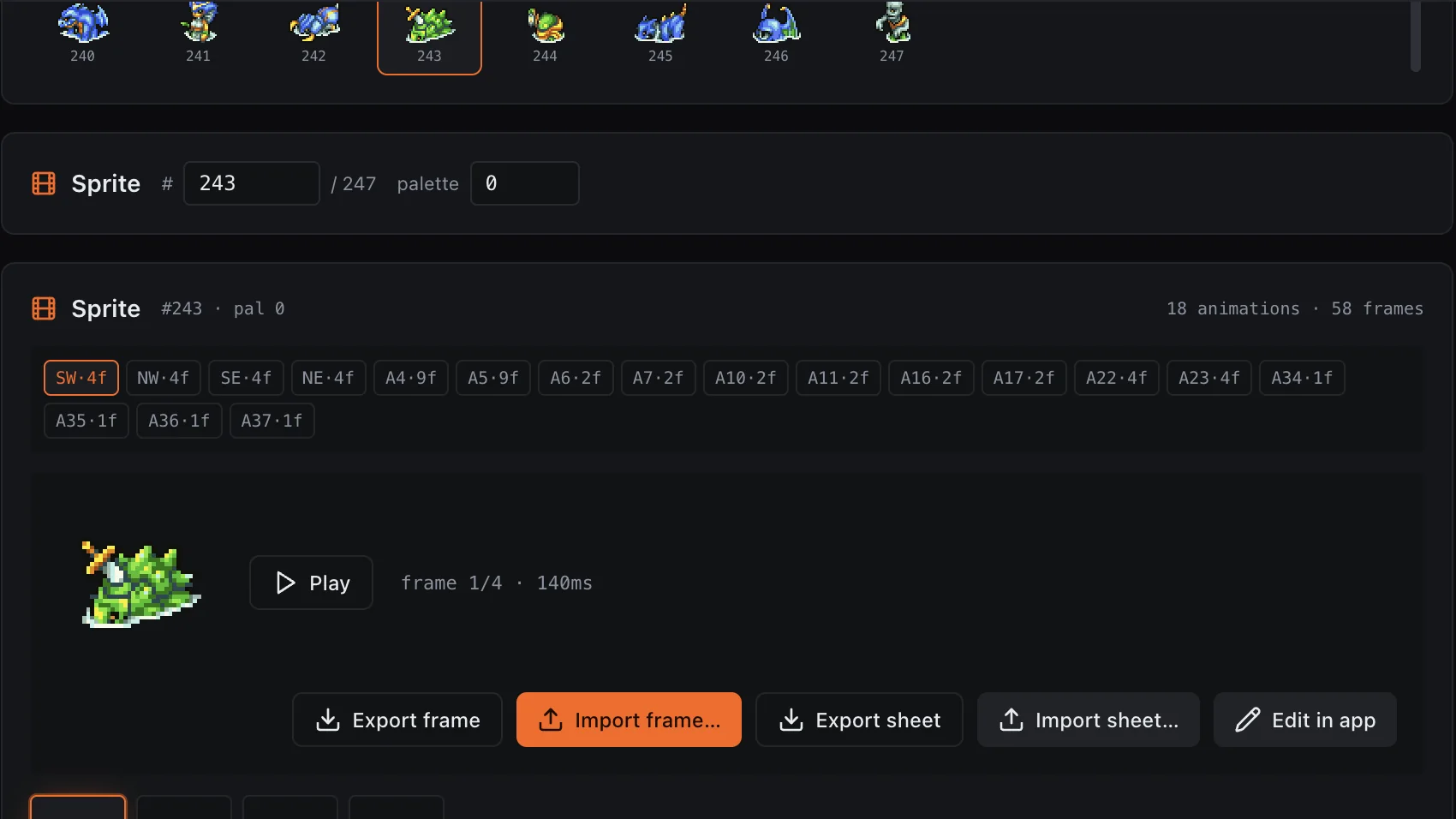
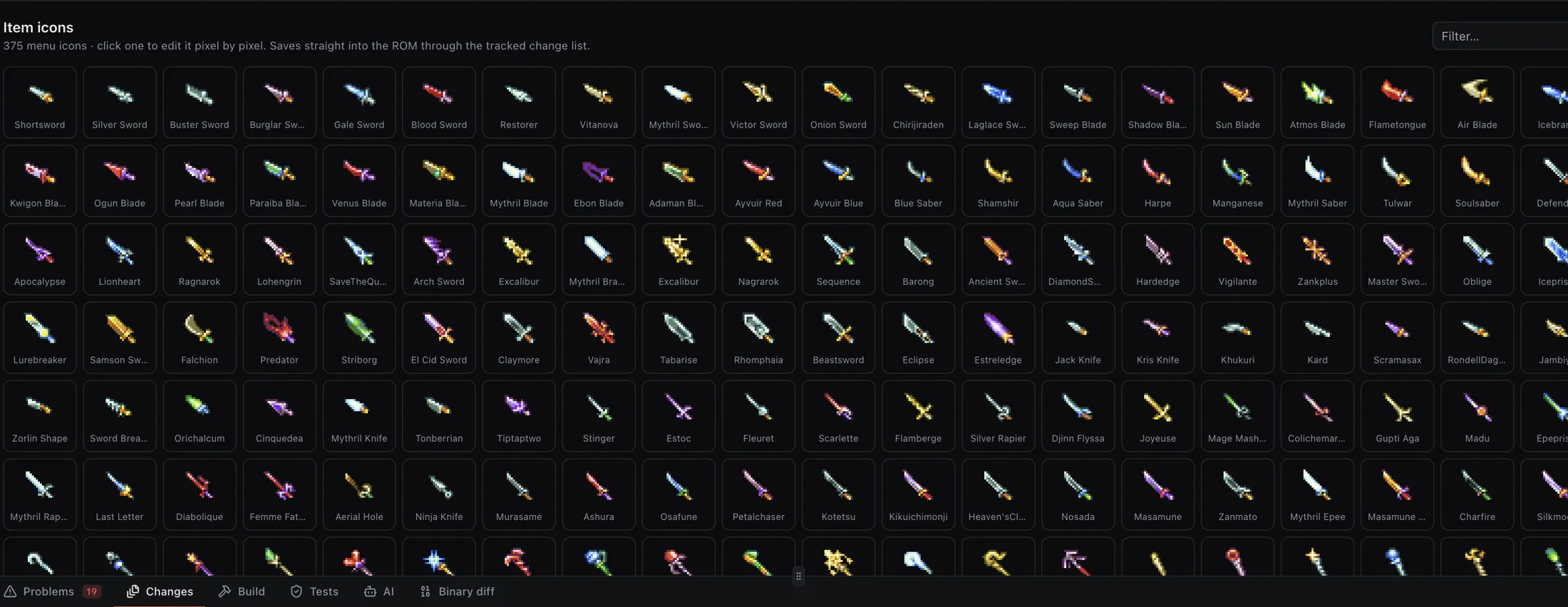
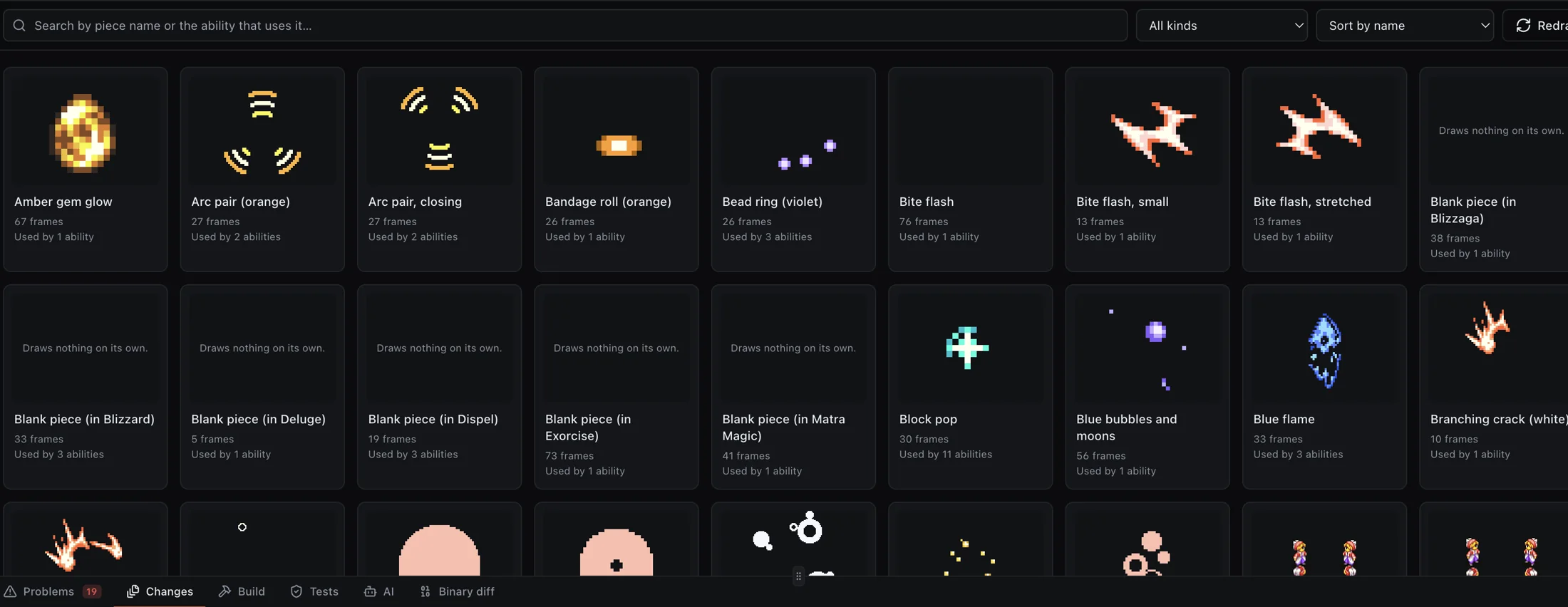
Browse the item-icon library, edit menu graphics pixel by pixel, preview sprite animation sets, and exchange individual frames or complete sheets. Battle effects become visible pieces arranged on a readable timing track with their sound cues.
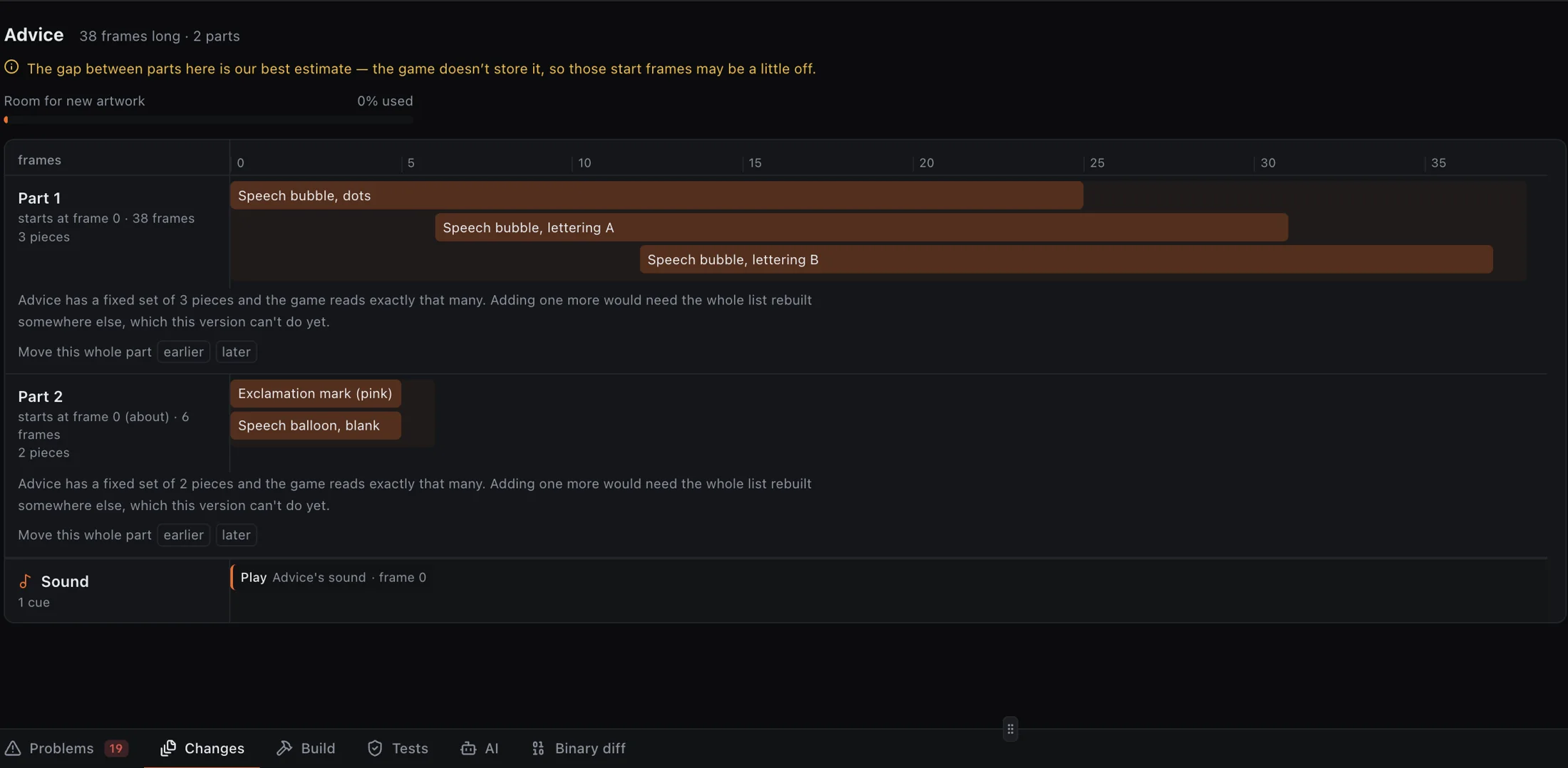
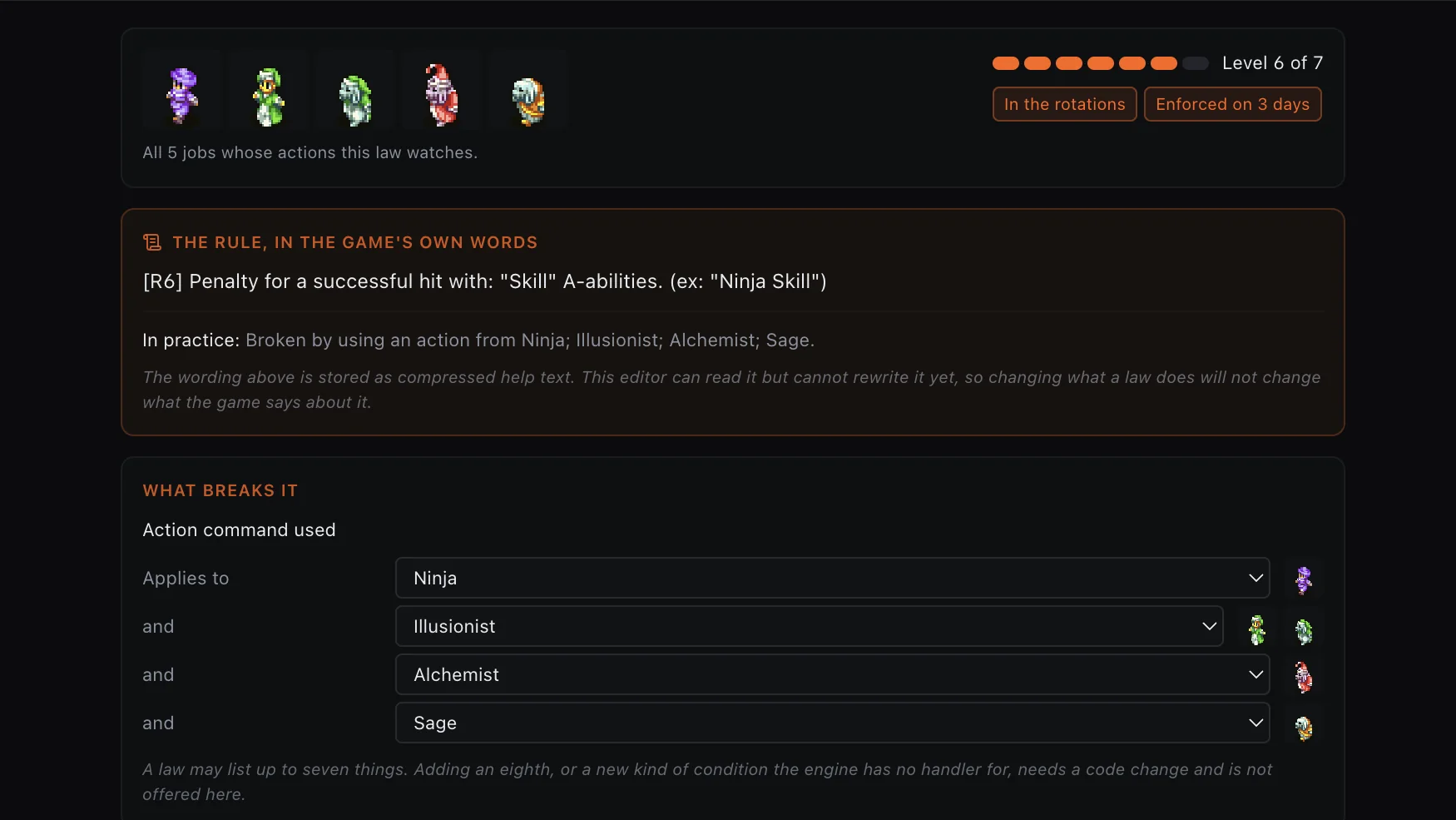
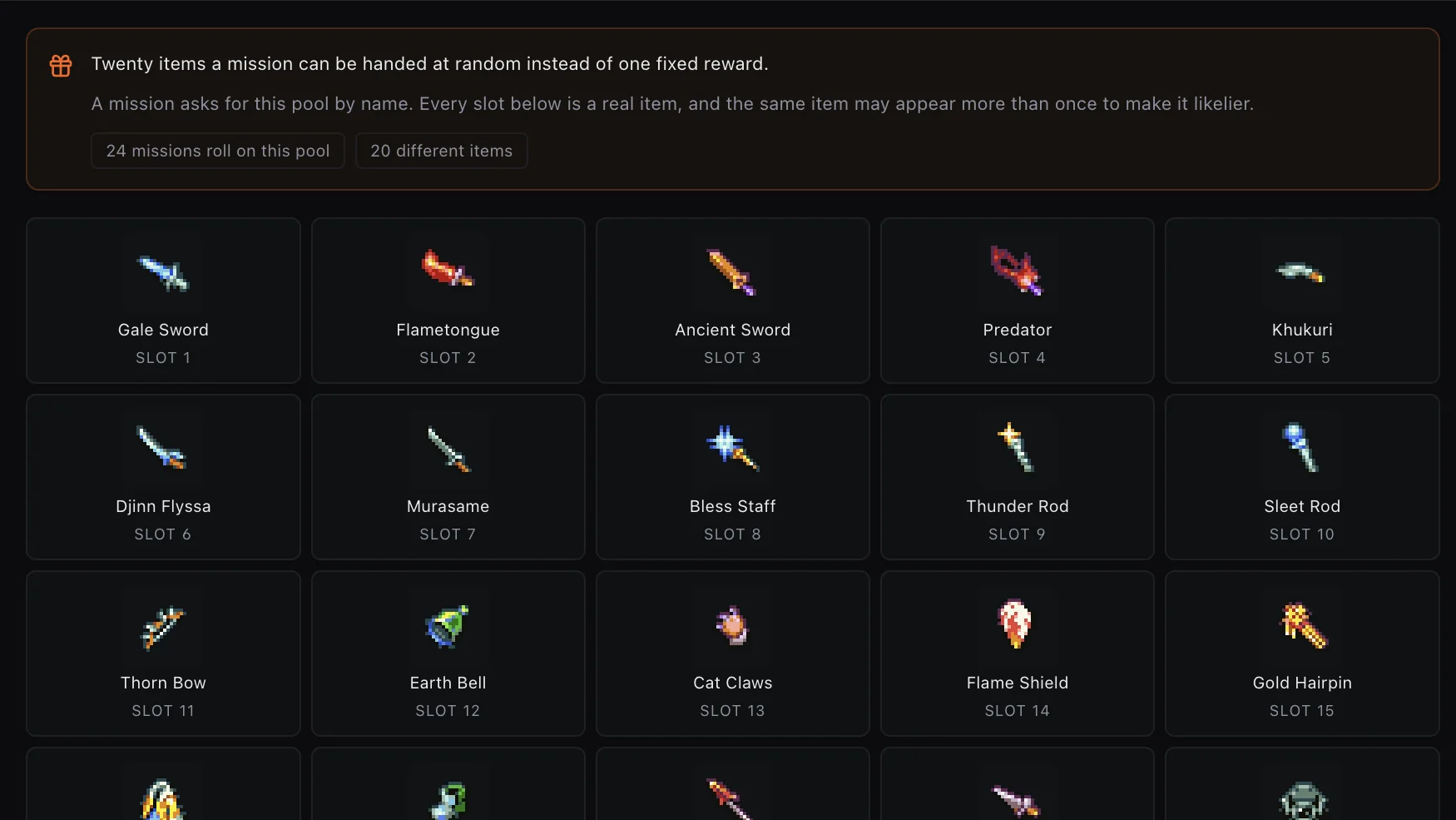
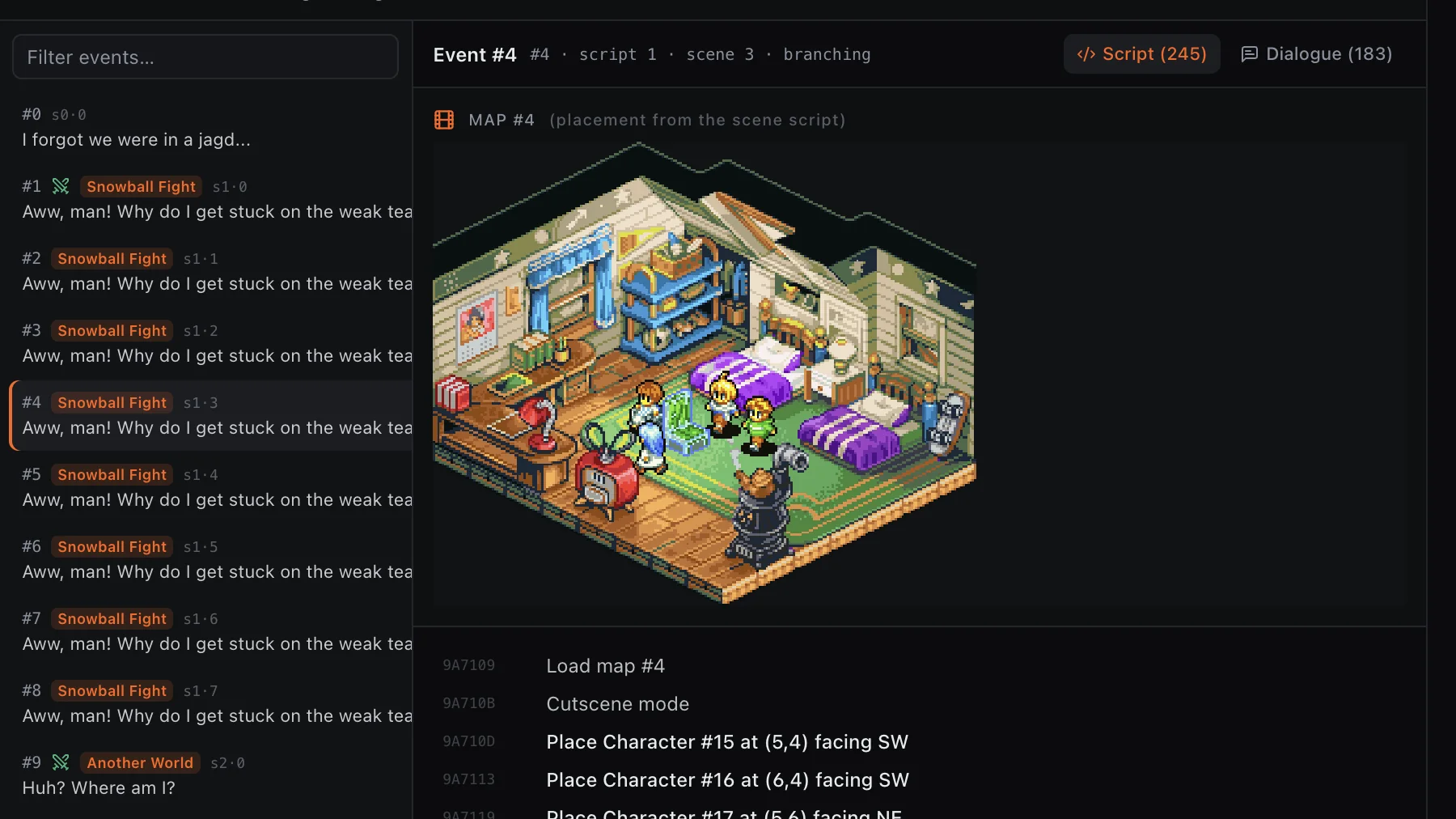
Laws, reward pools, and story records belong in the same workshop as sprites and battle maps. Studio exposes what is understood, and keeps unsafe rewrites gated.
Inspect conditions, enforcement, rotation behavior, affected jobs, and the original game wording.
Read each item pool, its available slots, and the missions that reference it before changing the outcome.
Explore stage placement, dialogue, and decoded instructions in one event view. This is an explorer—not a promise of unrestricted cutscene authoring.
Studio is designed around a clean AFXE ROM as immutable project input. Work is recorded as structured changes, inspected in a shared build workspace, and exported as a separate patched ROM.
Some packed text is currently display-only. Full arbitrary mission scripting, unrestricted map authoring, and unlimited new-job expansion are not being promised for the first public build.
Open a clean, compatible USA ROM that you obtained legally. Studio never includes or downloads game data.
Change decoded fields inside one connected project while the original input remains the reference point.
Inspect tracked changes and the shared Problems, Build, Tests, and Binary Diff workspace before output.
Build a separate patched ROM for personal testing. The clean input is not used as a scratchpad.
Release notes and demonstrations will appear in Rumors. Research questions, edge cases, and test reports belong in The Pub.
Unofficial fan-made tooling. No game or ROM files are distributed or hosted by Ivalice Labs. Studio projects may contain ROM data and should not be shared.